Turn every darts session into a challenge
Three demanding challenges, lightning-fast scoring, detailed statistics, live challenges and a global leaderboard to measure yourself against other players.
Three Challenges, One Goal: Consistency
Pick your challenge, throw, and log each visit in a single tap. The app handles the rest.
The 20 / 19 / Bull Routine
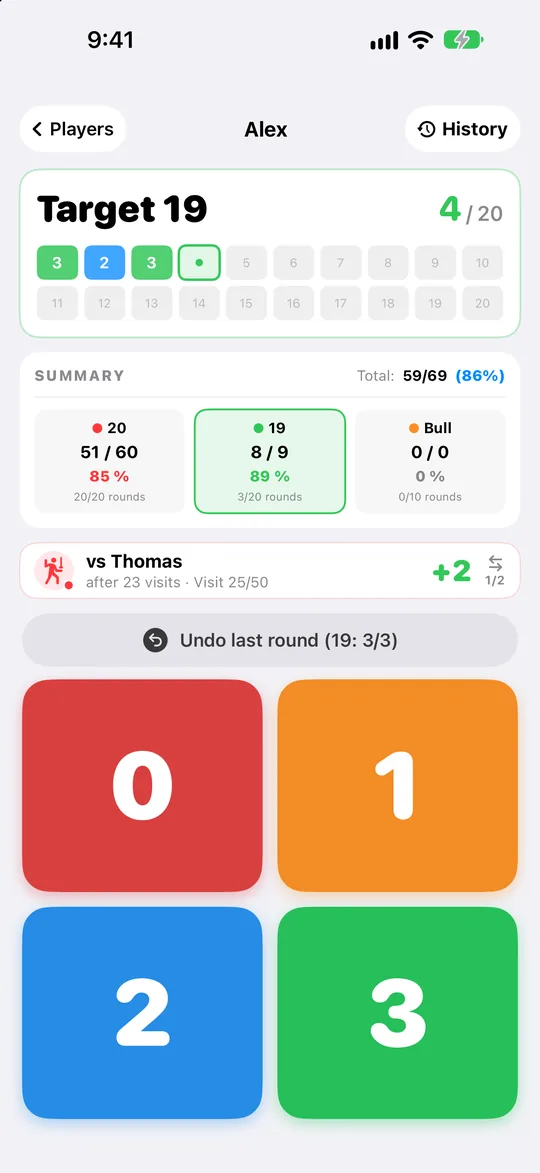
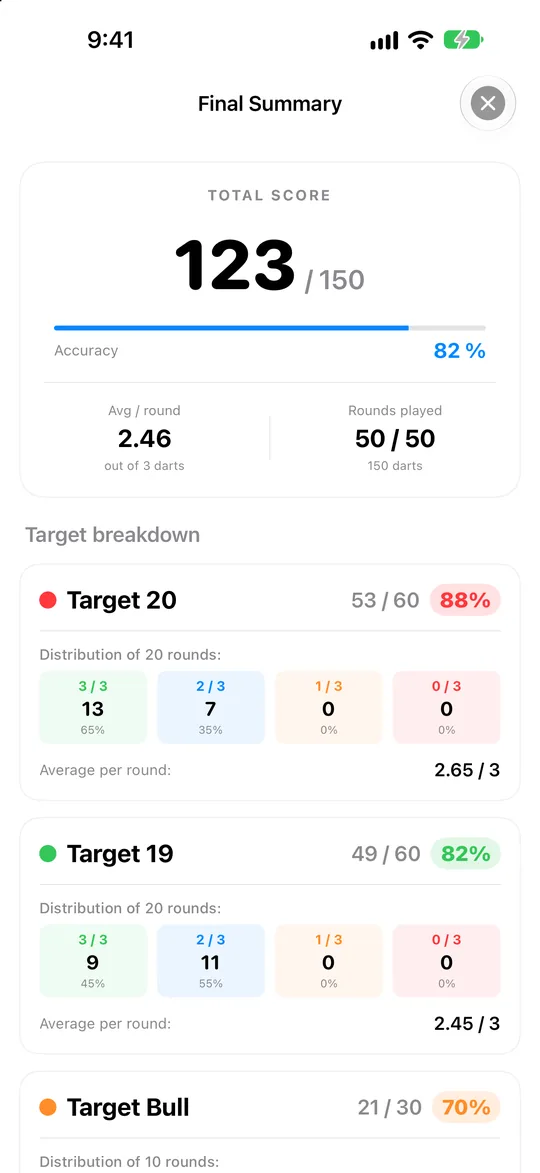
The go-to routine for building consistency. A full session is 150 darts:
- 20 visits on the 20
- 20 visits on the 19
- 10 visits on the Bull
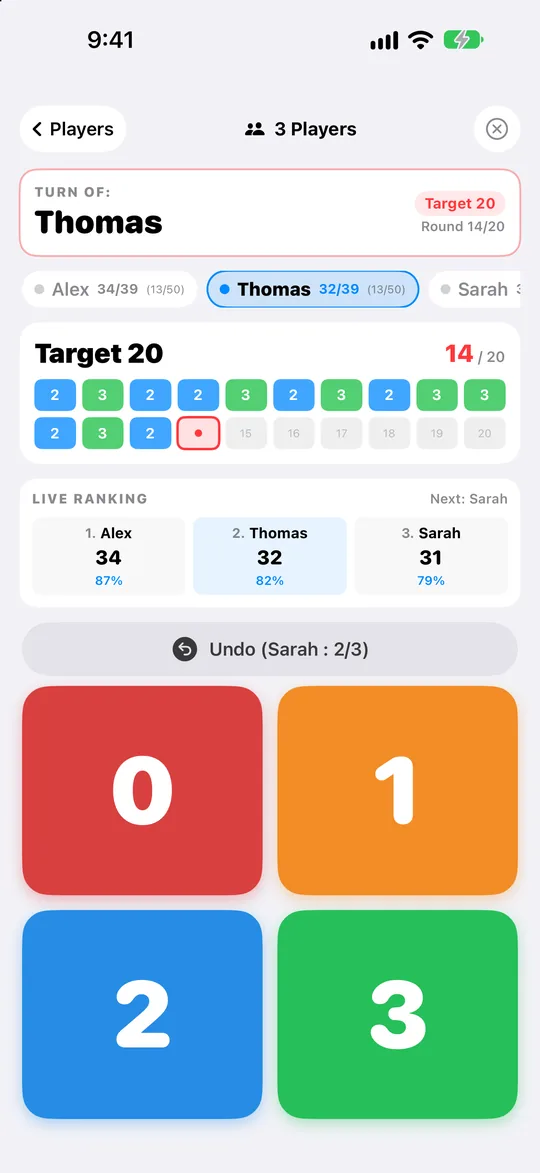
After each visit, enter how many darts hit the target (0, 1, 2 or 3) with big buttons designed to be used right next to the board. Made a mistake? Undo it in one tap.
The Finish
Work on your checkouts with Double Out:
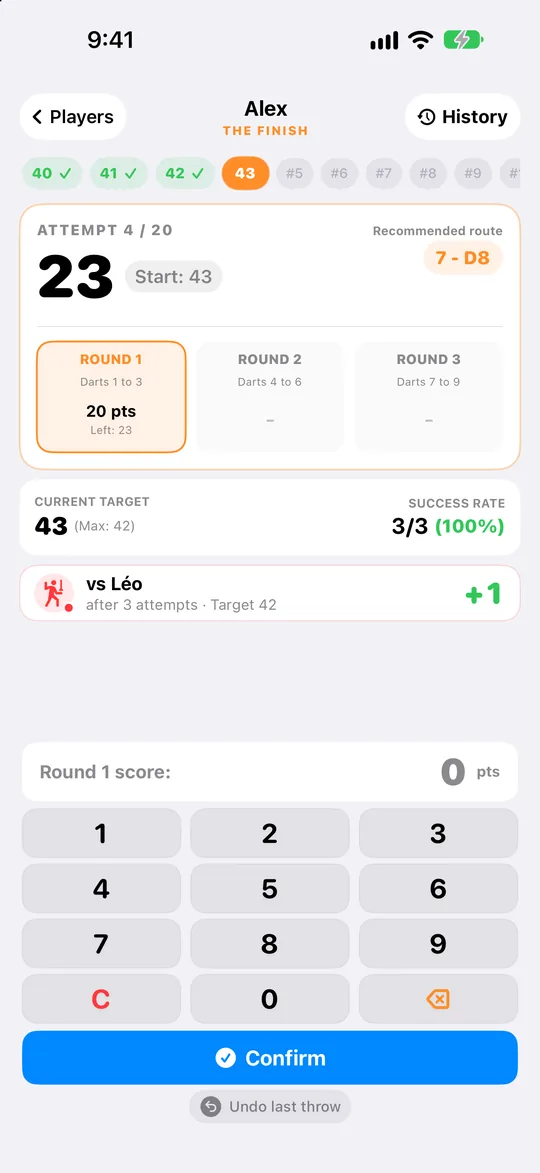
- Start at 48, 20 attempts
- Up to 3 visits (9 darts) to check out
- Success: move on to the next number. Miss: try the same one again.
- The checkout guide suggests the combination to aim for, and busts are handled automatically
The goal: reach the highest number you can. The starting number and number of attempts can be adjusted for free sessions.
The Grouping
Sharpen your grouping all around the board:
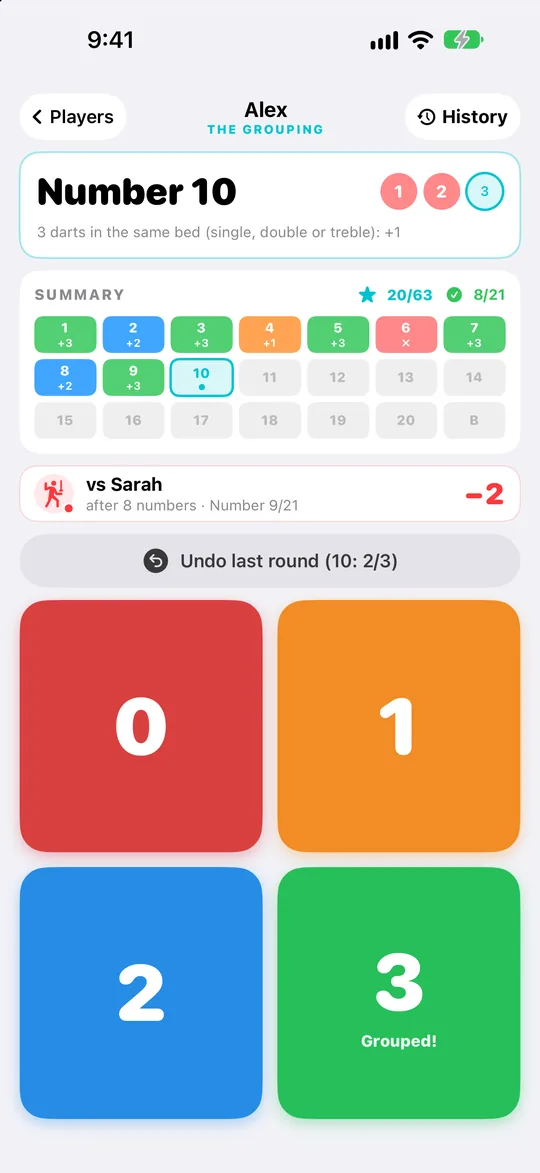
- Aim at 1, then 2… up to 20, then the Bull
- After each visit, enter how many darts are grouped in the same bed (single, double or treble)
- 3 darts grouped: number hit! 3 points on the 1st visit, 2 on the 2nd, 1 on the 3rd
- After 3 missed visits, you move on to the next number
The goal: the best score out of 63.
A Look Inside
Clear, fast and readable from the oche, in light or dark mode.
Everything You Need to Progress
Built by dart players for dart players, with the essentials and nothing in your way.
Statistics That Matter
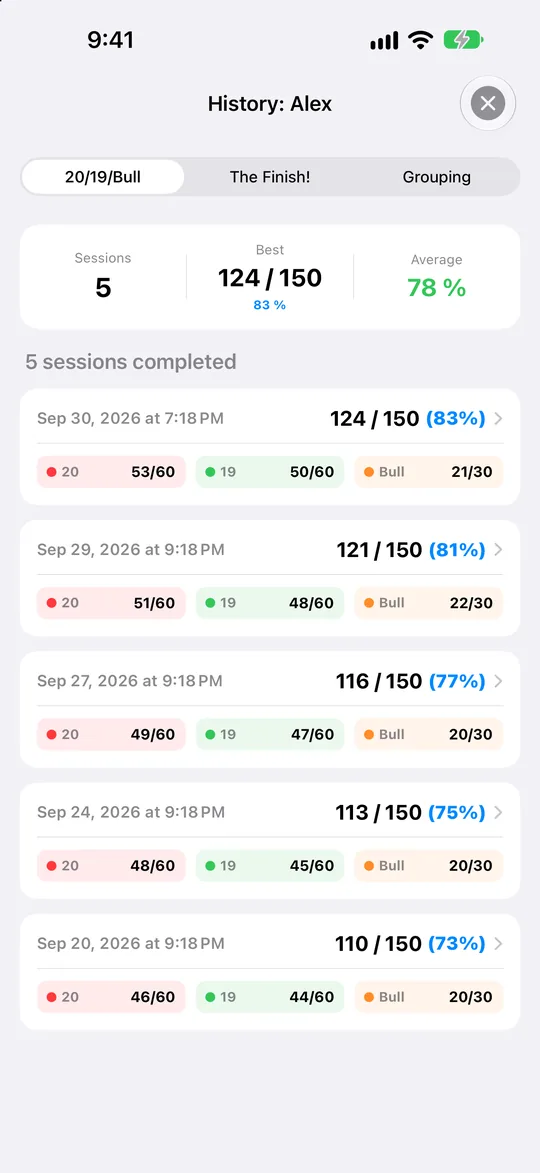
Score out of 150 and live hit percentage, target-by-target analysis on the 20, 19 and Bull, success rate and average darts per checkout.
Live Challenges & Duels
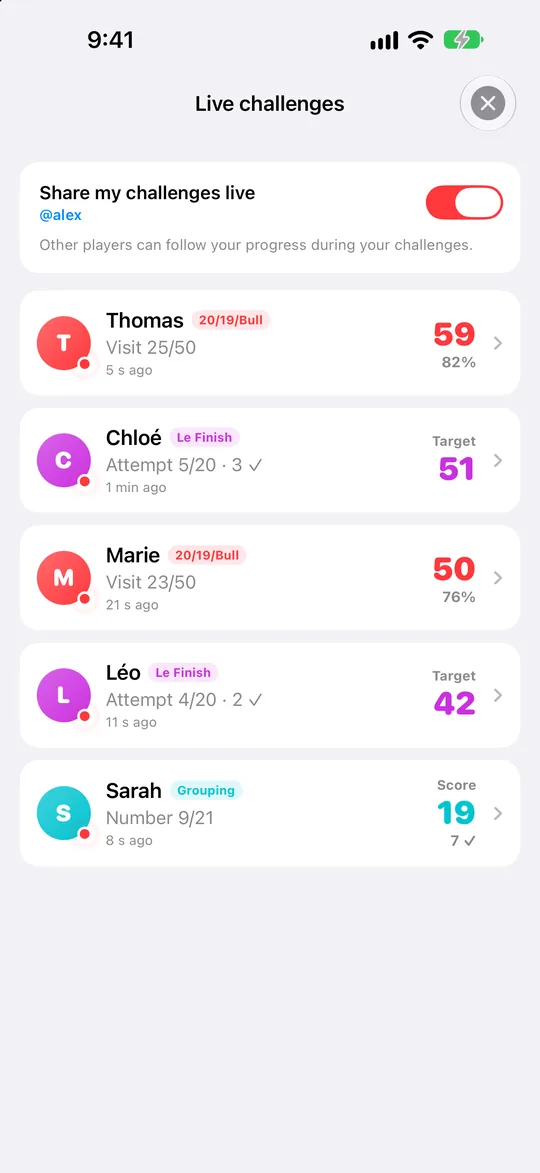
Follow other players' challenges in real time, visit by visit. During your session, a live duel shows how far ahead or behind you are against a player taking on the same challenge. Sharing can be turned off at any time.
Play Together on One Device
All three challenges can be played with friends on a single iPhone or iPad. Throwing order is handled automatically, with live standings and a final podium.
Global Leaderboard
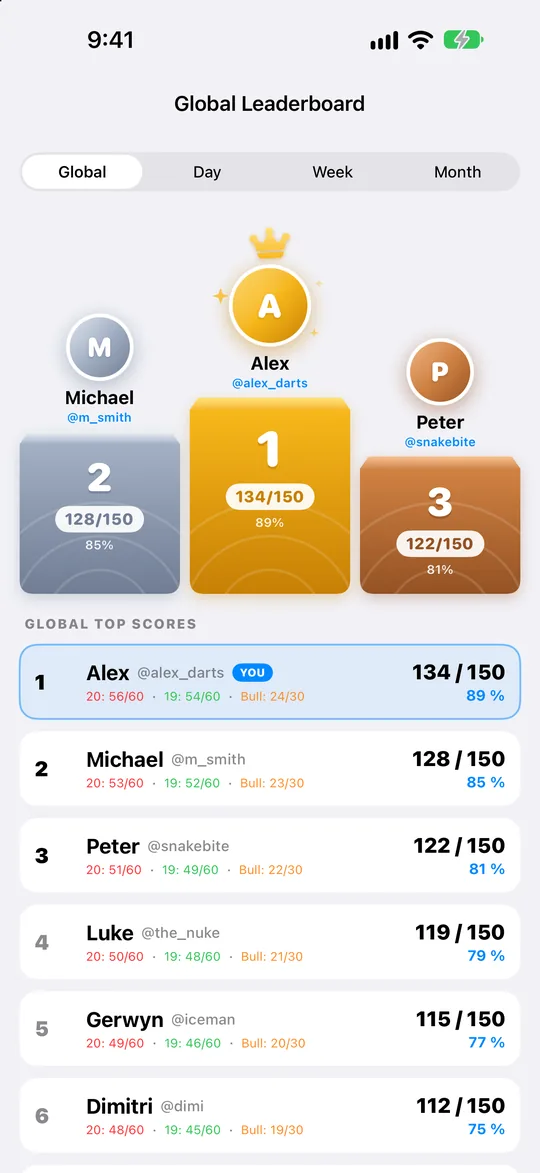
Take on the best players in all three challenges: all-time, daily, weekly and monthly rankings. Only sessions in the official format count, with each player's best score.
Saved and Synced
Create your account with a unique @nickname and your sessions are saved and synced online. Interrupted a session? Pick up right where you left off.
Simple and Respectful
No subscription, no in-app purchases, no ads. Available in five languages, in light and dark mode. Delete your online account at any time, right from the app.
Customer Support & FAQ
Have questions, feedback, or need assistance with David's Challenges? We are here to help.
Do I need an account to use the app?
No. All three challenges, player profiles and your history work without an account. An account is only needed to appear on the global leaderboard, to sync your sessions online and to share your challenges live.
How do I sync my progress across multiple devices?
Create an account or sign in with your email within the app. Your completed sessions are then saved online and available on each device where you sign in.
Why doesn't my session appear on the leaderboard?
Only sessions played in the official format count: the full 150-dart routine, the Finish starting at 48 with 20 attempts, or a complete Grouping. The leaderboard keeps each player's best score.
Can I play with friends?
Yes. Add several players and play any of the three challenges together on a single iPhone or iPad, passing the device between turns.
Who can see my challenges live?
When you are signed in, your challenge in progress is visible live to other players: your player name and your progress, nothing else. It disappears when the challenge ends, and you can turn sharing off at any time from the Live screen.
How can I delete my data or account?
You can remove individual sessions at any time from the in-app history. To permanently delete your online account and all cloud data, use the account deletion option in the app or contact our support team.
Which devices are supported?
David's Challenges runs on iPhone and iPad with iOS 18.6 or later.
Need Direct Assistance?
Contact our support team anytime. We respond within 24 to 48 hours.
✉️ Email Support